
Visual reporting with IBM Maximo:
five practical examples for your maintenance management
With IBM Maximo, it is possible to create fantastic visual reports. From a convenient dashboard, you have insight into various facets of your maintenance management at a glance. What kind of visual reporting should you think of? And how does this help you as an asset manager? We give you five examples for inspiration.
In an earlier blog about IBM Maximo and business intelligence, we already wrote about the various possibilities to analyze and report data in IBM Maximo. In this blog, we talked about BIRT reporting and IBM Cognos, two BI tools that are fully integrated with IBM Maximo. With these tools, you don’t have to build data models and you don’t have extra license costs, two important advantages. BIRT is ideal for reporting operational data, while IBM Cognos is mainly used for creating management information.
 Zooming in and out from a clear visual dashboard
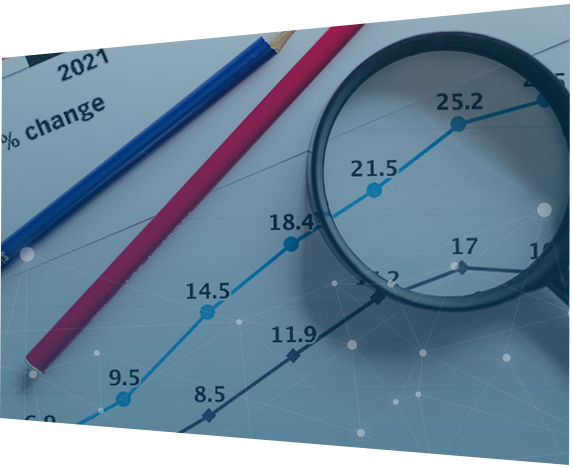
The examples of modern visual reporting that we give in this blog are made with IBM Cognos. They help you see trends by zooming out from detailed information in IBM Maximo and visualizing it in a dashboard with tables and graphs. From this dashboard, you have insight into the big picture, so you know if you are on the right track with your maintenance management. But you can also easily click through to underlying detailed data. This way you quickly have answers to all kinds of important questions about your maintenance. The following five examples give you an idea of the powerful visual reporting capabilities that IBM Maximo offers you in combination with IBM Cognos.
1. In sync with your source system
Data quality determines the basis of your maintenance system. Of course, you want to be sure that you have a good picture of all your assets to be maintained and their status in IBM Maximo. Are there any new assets? Do assets need to be cleaned up? Which assets are no longer in use, but do you still need to maintain them? With (ten) thousands of assets spread over a large geographical area, that can be a challenge. You get the information about the location and status of the assets from your GIS, BIM or Asset Integrity System. That data goes into IBM Maximo weekly. But are you completely in sync with that? On your dashboard, you can immediately see whether you need to take action or whether the information in IBM Maximo corresponds to the data in your source system.
2. Distribution of your maintenance work
In IBM Maximo, you make forecasts for the maintenance of your assets, often for a number of years ahead. Different types of assets have different types of maintenance schedules. For example, some assets receive major maintenance one year and minor maintenance the other year. But there are also assets that receive a major maintenance once and then two minor ones, with intervals of several years. These different rhythms can cause a build-up of maintenance work in certain periods, while your organization is also limited by a shortage of mechanics. On your dashboard, you can see at a glance where the bottlenecks are, based on a graph with blocks in different colors. If you click on a block, you will see which assets and numbers are involved. You can then make choices based on risk-based maintenance. Where is it possible to postpone maintenance, so that you keep the focus on your most important assets? This helps you to better spread the work, also in the long term.
3. Accuracy of work orders
Practice is more stubborn than theory. It may happen that a mechanic on site, based on his knowledge and experience, determines that an asset needs more thorough maintenance than was indicated in the work order. Or perhaps the opposite is the case and less maintenance is needed. By including a simple question as a task in the work order, you know what type of maintenance was actually needed: S, M or XL. In a clear graph in your dashboard, you can see how many work orders were incorrect and you can click through to information at asset level. Are there any connections to be made between certain brands and types? Is it time to adjust the maintenance regime for increasingly aging assets? Or are you missing opportunities to save money by scrapping unnecessary maintenance? This allows you to incorporate valuable feedback from your mechanics into your maintenance plan.
4. Maintenance current year
Perhaps your organization generates all work orders for the coming year at the end of each year, but it may also be that you do this, for example, over a period of six weeks in advance. Either way, you want to know if you are keeping pace with your planned maintenance work during this period. In your dashboard is a bar chart that immediately makes the progress of your maintenance work clear. Which work orders have been completed, which have not and which have been cancelled? This way you keep your finger on the pulse and you can intervene in time if you threaten to fall behind.
5. Outstanding work orders previous years
Sometimes work orders remain open over time. What’s going on with that? A bar chart tells you what the status of your outstanding work orders is. For example, how many orders still need to be scheduled? How many have been assigned to a mechanic? And how many are in progress? You quickly have insight into the number of maintenance visits that have been missed. Have new work orders already been generated for assets while old work orders have not yet been carried out? Then the old ones may already be outdated and you can now cancel them.
Always look at current information
The advantage of this type of visual reports over overviews in Excel is that you do not have to reload your data every time to analyze it. The data in your dashboard is constantly updated from IBM Maximo and is always up-to-date. Moreover, everyone involved in your maintenance looks at the same information: there is only one version of the truth.
Just start
Creating visual reports with IBM Maximo is not complicated. What is important is that you have a clear idea in advance of what you want to measure and what you want to control. This can be about the maintenance work itself, as in the examples above, but also about the number of malfunctions and their lead time, the deployment of employees or the costs of your maintenance. Of course, we at Gemba are happy to help you with this. Our credo is: just start. You will see that your reporting needs gradually grow as soon as you dive into your data. You make new connections, perhaps adjust your maintenance strategy and are curious about the results. In this way you continuously improve your reporting and your maintenance.
Look at IBM Maximo
- IBM Maximo



Would you like to discuss your asset management challenges?

Also curious about the possibilities?
Want to know more about the possibilities of IBM MAS? We are happy to think along with you about the practical application in your organization. Contact us via +31 (0)20 482 29 29 or info@gemba.nl.