7 reasons to switch to IBM Maximo 7.6.1.2
IBM Maximo Asset Management 7.6.1.2 is out! That means you can now use this solution for Enterprise Asset Management EAM even more easily and efficiently. Why is the switch absolutely worth it? We’ll give you 7 reasons, but there are many more! Of course, the fact that IBM will discontinue support for IBM Maximo 7.6.0 in September 2021 also plays a role.
 A major step forward
1. Optimal working on any device
Your employees use IBM Maximo Asset Management on various devices. Sometimes they are working in the field to maintain your assets. Then they process data in the EAM solution via their tablet. But it is also possible that they will sit behind their laptop at home or handle a work order on their desktop in the office. IBM Maximo, with the help of the new IOT-18 skin, is now so smart that the software automatically adapts to the device on which it is used. This way your employees always work in the best way.
2. Easy reporting and analysis with IBM Cognos
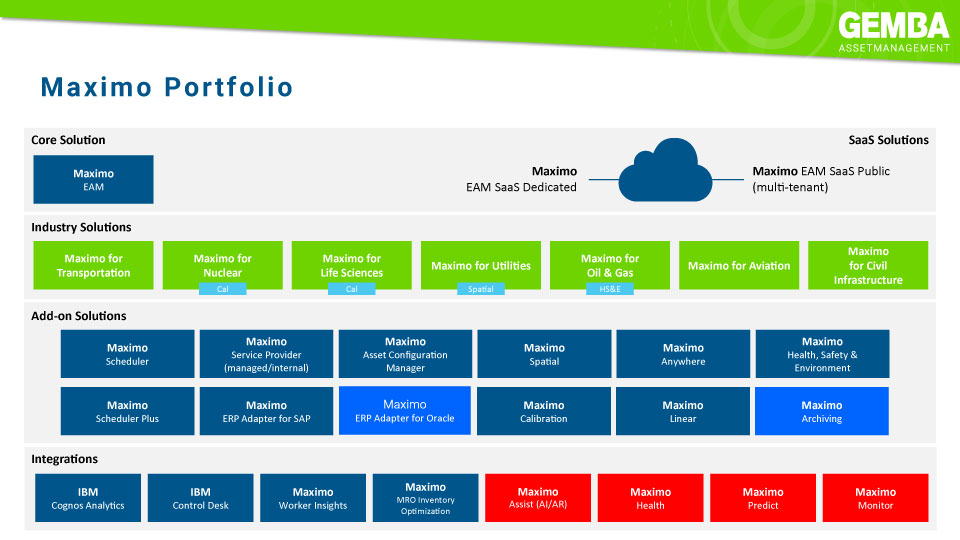
If you switch to IBM Maximo 7.6.1.2, you will receive the reporting & analytics tool IBM Cognos 11 for free. This makes it possible to easily present and visualize important data about your assets, for optimal insight into your asset management. Your employees simply download a mobile app from the app store and can then create reports anywhere on their mobile phone or tablet. No programming is required, but it is a matter of drag & drop. And the great thing is that data structures that you have already defined in IBM Maximo EAM are automatically recognized and adopted by IBM Cognos!
3. Dynamically plan tasks
What resources are needed to maintain a section of railway, dike, waterway, highway or other linear asset? IBM Maximo now automatically adjusts the hours, materials, etc. based on the length of the asset. For example, if you have a task plan for mowing a dike over one kilometer in length, you do not need to create a new task plan for the same work over five km. This means you need far fewer task plans and your task plan library is easier to manage.
4. Simple drill-down from location to asset
With IBM Maximo 7.6.1.2 you simply click through from one hierarchical overview from a location to a room and an asset in it. Think of a factory with various halls in which different production lines are located. It is therefore no longer necessary to keep switching locations to, for example, update maintenance data. That saves a lot of clicking! Moreover, it is very easy to drag assets within the overview from one location or room to another.
5. Quickly create graphic schedules
The add-ons of IBM Maximo Asset Management are also developing. Take IBM Maximo Asset Management Scheduler, the add-on for graphic planning. A calendar makes it easy to graphically visualize which employees are available when. And do you want to assign an employee to a planned task, for example? More than dragging and clicking is not necessary.
6. Easier to process information from your service desk
Often, service information from your helpdesk or call center arrives in IBM Maximo via e-mail. The e-mails are then automatically recognized by the EAM solution as notifications. The only disadvantage, however, was that all attachments were also stored in IBM Maximo Asset Management. So including images such as signatures and other non-relevant attachments that are increasingly included with e-mails. Attachments are now displayed in the text of the e-mail. A lot clearer!
7. Stay up to date with support and innovation
IBM will discontinue support for IBM Maximo Asset Management 7.6.0 in September 2021. It is therefore wise to make the switch to 7.6.1.2 before that time. But developments surrounding other important software are also not standing still. For example, Microsoft Office 365 will switch to a new security mechanism halfway through next year. If you want to continue reading your e-mails from IBM Maximo, you will in any case need version 7.6.1.2 of the EAM solution.



Would you like to discuss your asset management challenges?

Want to know more?
Discover what IBM Maximo 7.6.1.2 has to offer your company and how Gemba helps you make the switch. Contact Gerben ter Horst directly: +31 (0)6 - 14 57 21 19 or g.terhorst@gemba.nl